
SMA Integrations
This guide explains how to connect your Meta and Pinterest advertising accounts with Arcane to optimize your product feeds and social campaigns through SmartFeeds.
Prerequisites
- Admin Access: You must have administrative privileges on your Meta Business Manager and/or Pinterest Business account.
- Active Accounts: Ensure your Meta/Pinterest ad accounts are active and not flagged or suspended.
Table of Contents
- Connecting with Meta
- Connecting with Pinterest
- Quick Answers to Common Issues
- Related Articles
Connecting with Meta
Grant access to my Meta account for Arcane
To grant Arcane access, you need to add us as a partner in your Business Manager:
- Go to the Partners tab.
- Click on Add, then select "Give a partner access to your assets."
- Enter Arcane’s Business Manager ID: 387775224894959.
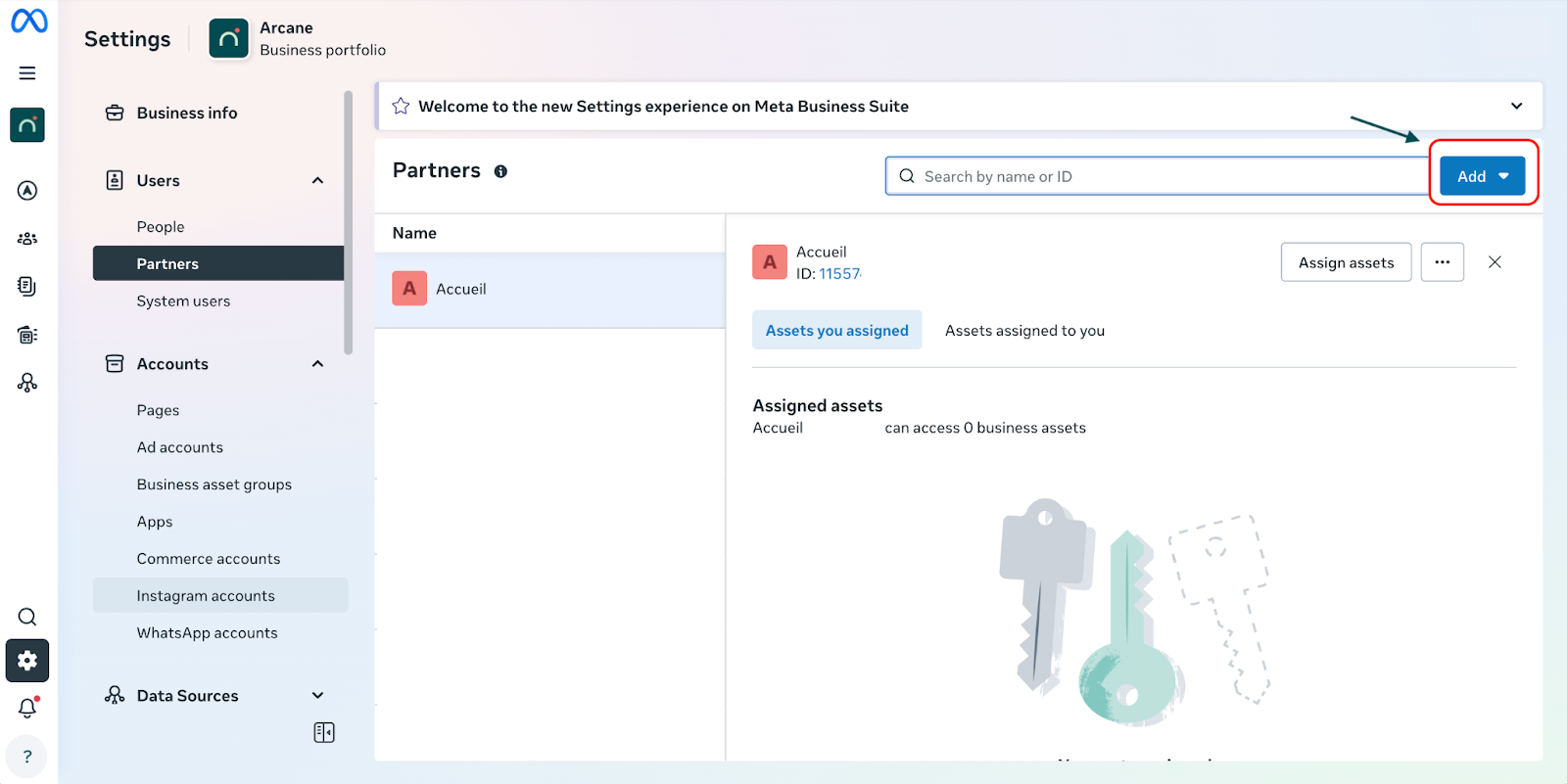
Add employees to my Meta account
If you would like to add specific employees to the account, please contact our team directly. Thanks to the system user (AdScale) already integrated into our Meta Business Manager, we can easily manage employee access once you share the required information with us.
Contact our SMA team at sma@wearcane.com if you need further assistance.
Connecting with Pinterest
Grant access to my Pinterest account for Arcane
There are two possible ways to grant access:
- Method A: Add Arcane as a partner to your Business Manager (Recommended).
- Method B: Add reporting@arcane directly to your Business Manager.
Steps to add Arcane as a partner:
- Navigate to the Partner tab in your Pinterest Business account.
- Click on Add a partner, then follow the on-screen instructions.
- Enter Arcane’s Business Manager ID: 793689271738508322.
- Grant access by sharing your specific ad account.
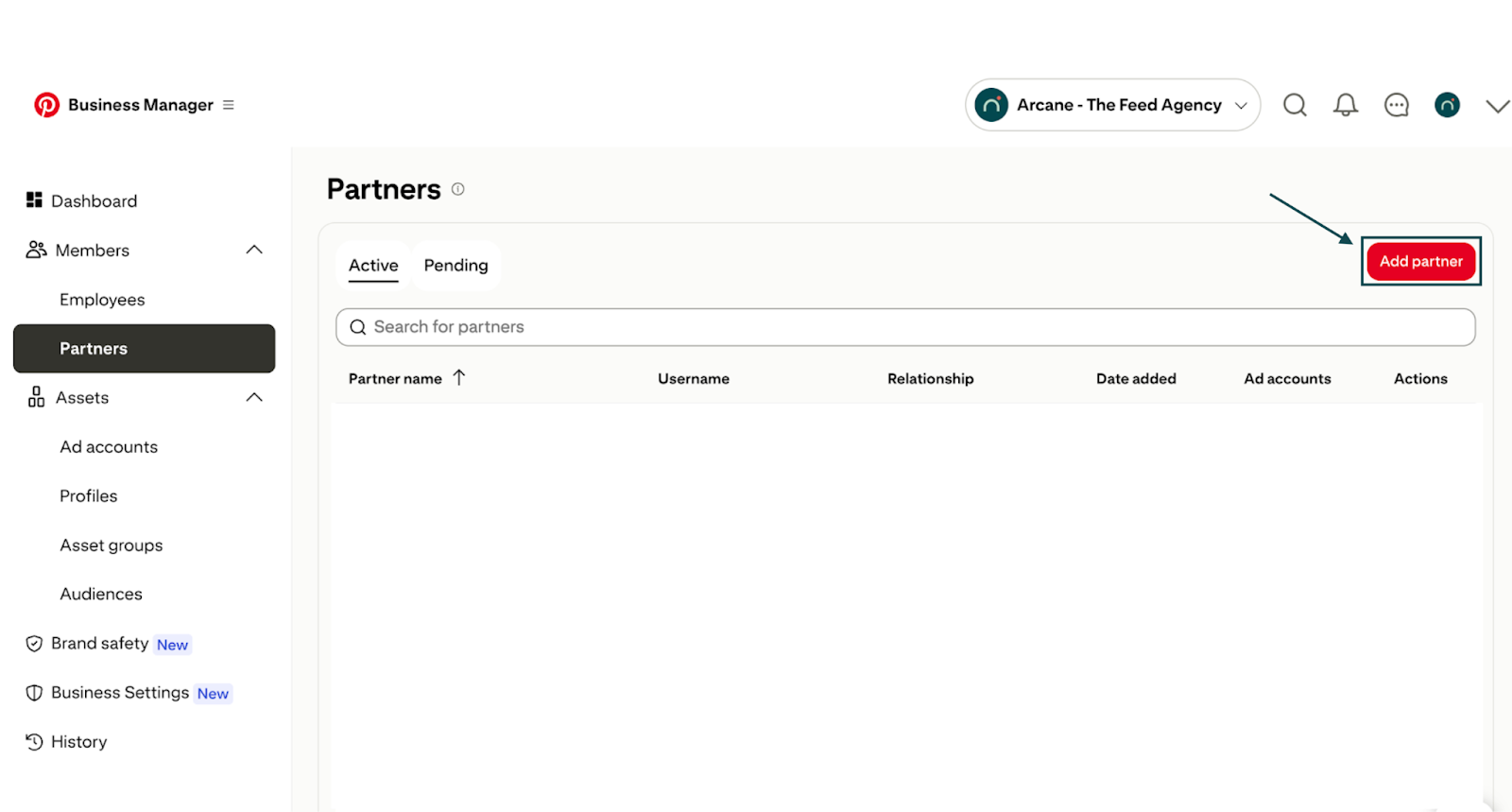
Note: Once completed, our team will receive a notification. Please allow up to 48 hours for validation and acceptance.
Add a user to my Pinterest account
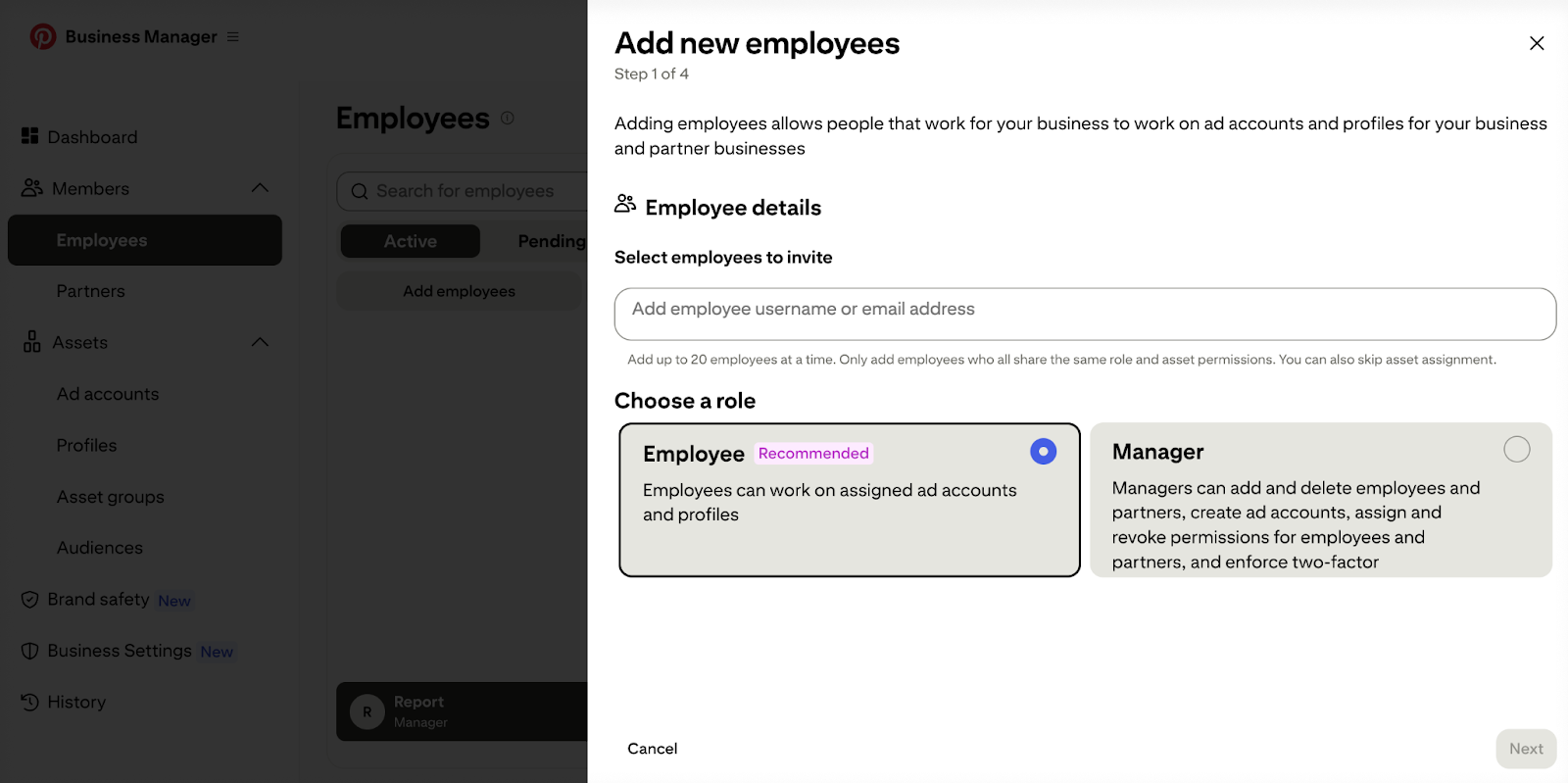
To grant a new user access to your Pinterest account:
1. Go to the Employees tab.
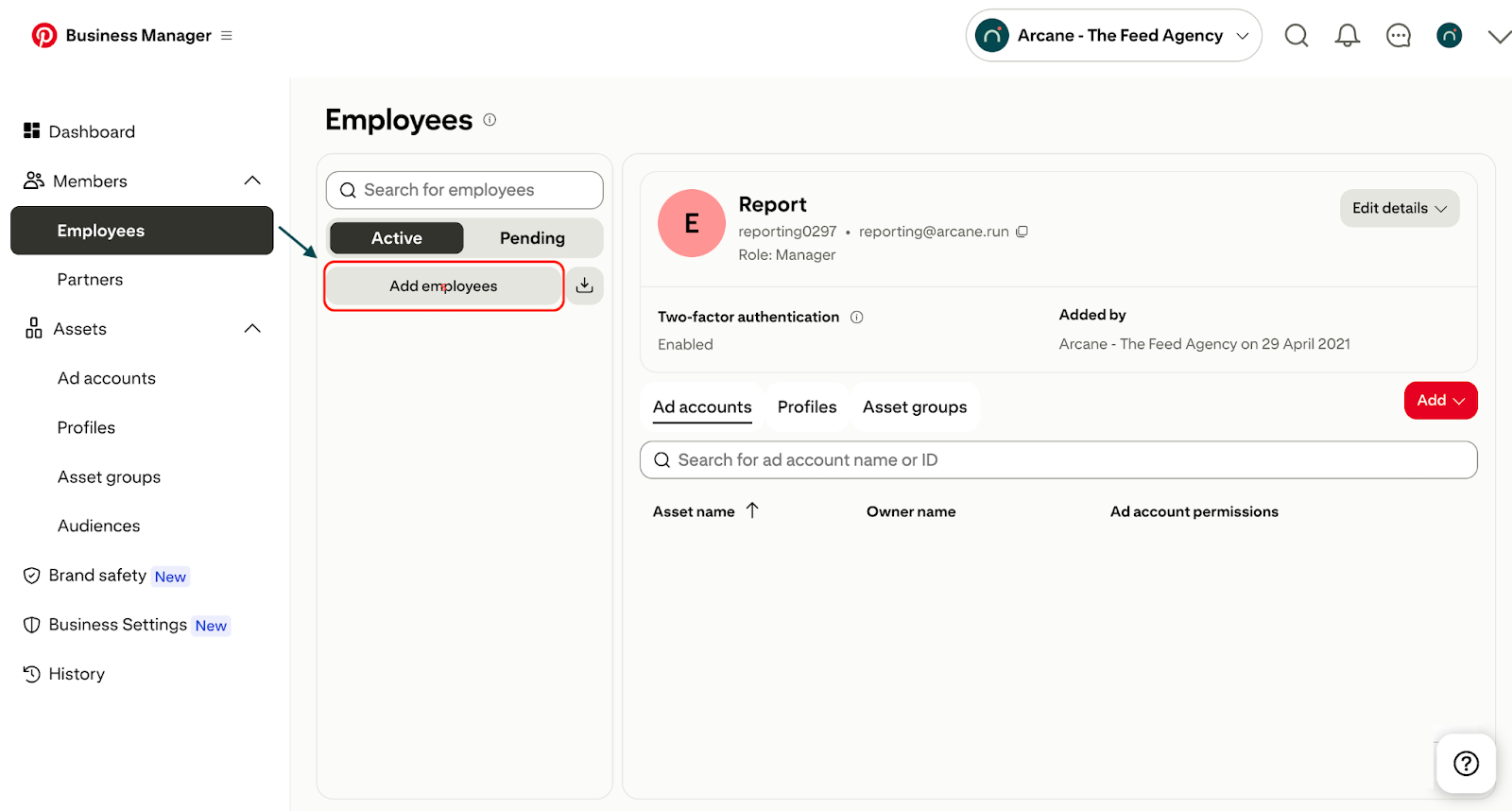
2. Click on Add employees, then follow the steps to send an invitation.
Contact our SMA team at sma@wearcane.com if you need further assistance.
Quick Answers to Common Issues
Which level of permission should I grant when sharing my Ad Account?
To allow for full optimization and feed management, we recommend granting "Manage campaigns" or "Admin" level access. At a minimum, "View performance" is required for reporting-only purposes.
Why should I add Arcane as a Partner instead of adding a team member's email?
Adding Arcane as a Partner is more secure and efficient. It allows us to manage our team's access internally via our Business Manager without you having to manually add or remove individual email addresses whenever our staff changes.
Related Articles
For further assistance with SmartFeeds, consider reviewing these articles:
For additional help, feel free to reach out via our Contact Us page.